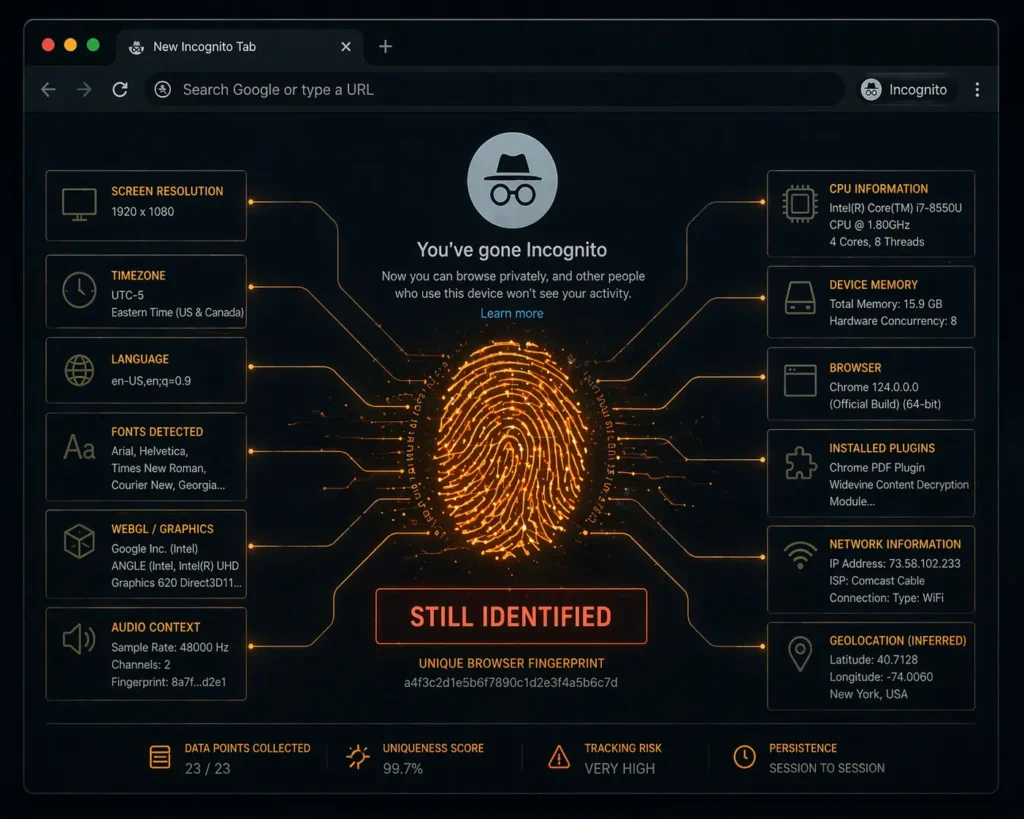
You opened a private window. You felt protected. You weren’t. Not even close.
There is a small, satisfying ritual millions of people perform every day. They open their browser, select incognito mode or private browsing, and feel genuinely feel that something meaningful just happened. That they became invisible. That their activity disappeared.
They didn’t. It didn’t.
Incognito mode is one of the most widely misunderstood features in the history of consumer technology and the gap between what people believe it does and what it actually does is being quietly, continuously exploited by every party with something to gain from your data.
What Incognito Actually Does
To be precise about the betrayal, you first need to understand what incognito genuinely does because it does do something.
Incognito mode prevents your browser from saving your browsing history locally. When you close the incognito window, your browser deletes the session’s cookies, temporary files, and form data from your device. Your spouse, your child, your colleague picking up your laptop they won’t find that search in your history.
That is the complete list of what incognito protects.
Your local device history. From people with physical access to your device.
Everything else every other party, every other surveillance vector, every other data collection mechanism operates exactly as it would in a normal browser window. Incognito doesn’t make you invisible. It makes you invisible to your own browser. Nothing else sees a difference.
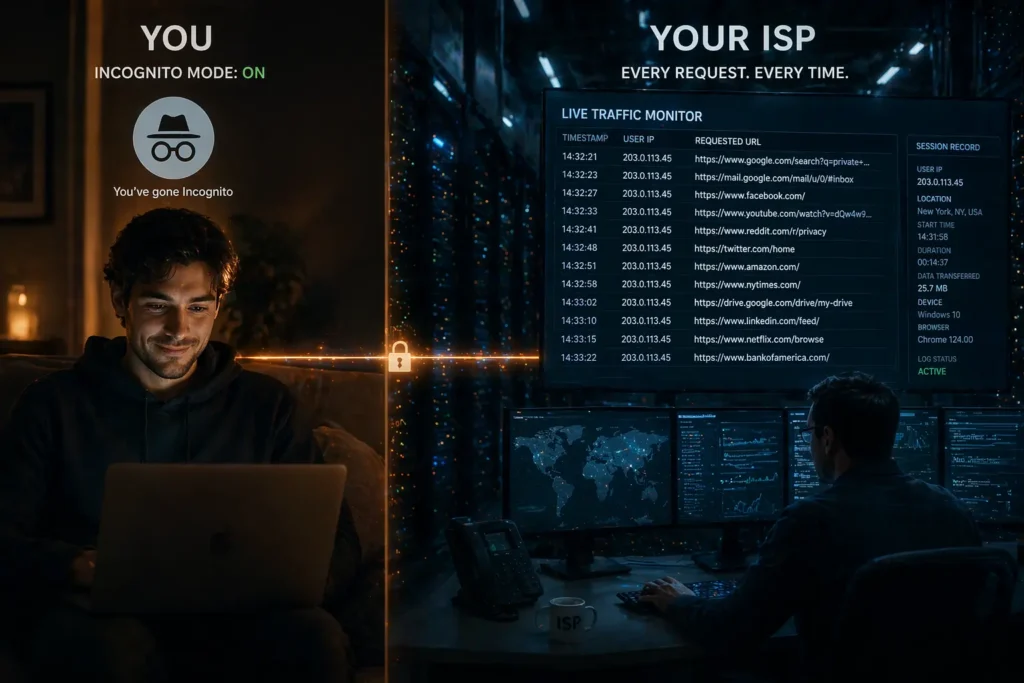
Who Can Still See Everything
Your Internet Service Provider. The moment you type a URL or run a search, that request travels through your ISP’s infrastructure. Incognito does nothing to encrypt or mask that request. Your ISP sees every domain you visit, in real time, in sequence in incognito exactly as in normal browsing.
In the USA, ISPs can legally sell this browsing data to advertisers. In the UK, ISPs are legally required to retain browsing records for twelve months under the Investigatory Powers Act. In India, ISPs operate under government surveillance frameworks with broad data retention requirements.
Incognito is invisible to none of them.
Your employer or school network. If you’re using a corporate WiFi, school network, or any managed internet connection, the network administrator sees your traffic regardless of browser mode. IT departments across the USA, UK, and India have monitoring tools that log every site accessed on their networks. The incognito tab offers zero protection from network-level observation.
Every website you visit. Websites see your IP address which identifies your approximate location and your ISP whether you’re in incognito or not. They deploy tracking pixels, server-side logging, and fingerprinting techniques that identify your device through characteristics that survive cookie deletion: your screen resolution, timezone, installed fonts, browser version, and hardware configuration combine into a unique device fingerprint that follows you across sessions.
You deleted the cookie. The fingerprint remained. The website already knew you came back.
Google itself. Here is the one that should land hardest. When you use incognito in Chrome and search on Google the two most popular tools on the planet Google logs your search query, your IP address, and your session behavior. If you’re logged into any Google service in another tab, the data can be connected to your identity directly.
In 2024, Google settled a $5 billion class action lawsuit in the US specifically over incognito data collection agreeing that it had collected user data in private browsing mode without adequate disclosure. Five billion dollars. For something millions of people still believe protects them.
The Fingerprinting Problem Nobody Talks About
Browser fingerprinting is the technique that makes incognito fundamentally inadequate against modern tracking and almost nobody understands it exists.
Your browser, in any mode, broadcasts dozens of technical characteristics every time it connects to a website: screen dimensions, color depth, timezone, language settings, installed plugins, graphics card behavior, audio processing characteristics, and more. Combined, these create a statistical fingerprint unique to your device in 99.1% of cases according to research from the Electronic Frontier Foundation.
Incognito mode changes none of these characteristics. Your fingerprint in a private window is identical to your fingerprint in a normal window. Trackers that use fingerprinting and most sophisticated advertising networks now do cannot be blocked by clearing cookies or opening a private tab.
You are being identified at the hardware level. Incognito has no answer for that.
What Actually Protects You
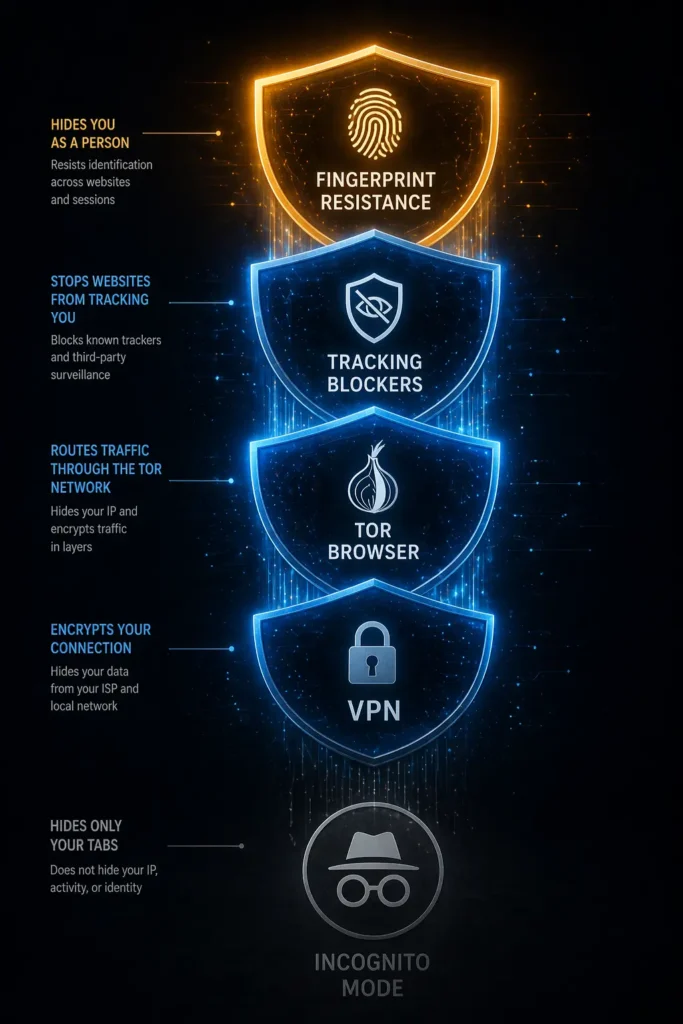
A reputable paid VPN encrypts your traffic between your device and the VPN server meaning your ISP sees an encrypted connection, not your browsing activity. This is the protection most people think incognito provides. It doesn’t. A VPN does.
The Tor Browser routes your traffic through multiple encrypted relays, masking your IP address and making fingerprinting significantly harder. It is slower than standard browsing but provides genuinely meaningful anonymity for sensitive activity.
Firefox with enhanced tracking protection plus the uBlock Origin extension blocks the majority of fingerprinting scripts, tracking pixels, and third-party data collection tools that incognito leaves completely untouched.
Brave Browser blocks fingerprinting by default randomizing the technical characteristics your browser broadcasts so that each session appears to come from a different device. This is the closest a standard browser gets to genuine session anonymity.
None of these are perfect. All of them are meaningfully more protective than a private browsing tab.
Why the Myth Persists
Browser makers know their users misunderstand incognito. Google’s own research submitted as evidence in the 2024 lawsuit showed internal awareness that users believed incognito provided more protection than it does.
The feature was not corrected. The marketing was not clarified. The name “private browsing” was not changed to something more accurate like “local history deletion mode.”
Because the myth of incognito protection is useful. Users who believe they’re protected don’t seek out tools that actually protect them. Users who don’t seek protection remain fully visible to the data ecosystem that funds the free internet.
The private window was never really private. It was just private enough to stop you from asking questions.
