Stop what you are doing and read this carefully.
Right now, while you are scrolling your phone, someone you have never met could be looking at your full name, your home address, your father’s name, and possibly even your live location.
They do not need to hack you. They do not need your password. They do not need anything except your phone number – a number you have casually shared hundreds of times with apps, shops, websites, and strangers.
This is not a movie plot. This is happening in India. Today. In 2026.
And the most terrifying part? Most victims never find out.
The Number That Is Exposing Millions of Indians
A recent investigation revealed something that should alarm every Indian with a smartphone.
A website was found to be openly displaying personal details of Indian citizens – full name, father’s name, home address, alternate phone numbers, email ID, and in some cases, live location – all from a single phone number input.
The developer claimed the information was not stolen. He said it already existed on the internet from previous data breaches and his site simply collected it together.
That explanation should scare you even more.
Because it means your data is already out there. Already scattered across the internet from dozens of breaches you never knew happened. Anyone with basic knowledge can find it and piece it together.
You are not hidden. You just do not know you are visible.

How Bad Is It Really? The Numbers Will Shock You
A major survey revealed that 87% of Indians believe their personal data is already in the public domain or in compromised databases – a jump from 72% just three years ago.
That means out of every 10 Indians reading this article right now, at least 8 of you have had your personal data leaked somewhere.
Over 50% of Indians say their Aadhaar or PAN card details or both have been compromised.
Your Aadhaar. Your PAN. The two most sensitive pieces of identification you own. Already in the wrong hands.
And your phone? It is the device connecting all of it together.
What Apps on Your Phone Are Doing Without You Knowing
Every app you install asks for permissions. Most Indians tap “Allow” without reading what they are agreeing to.
Here is what some apps are silently collecting right now on your phone:
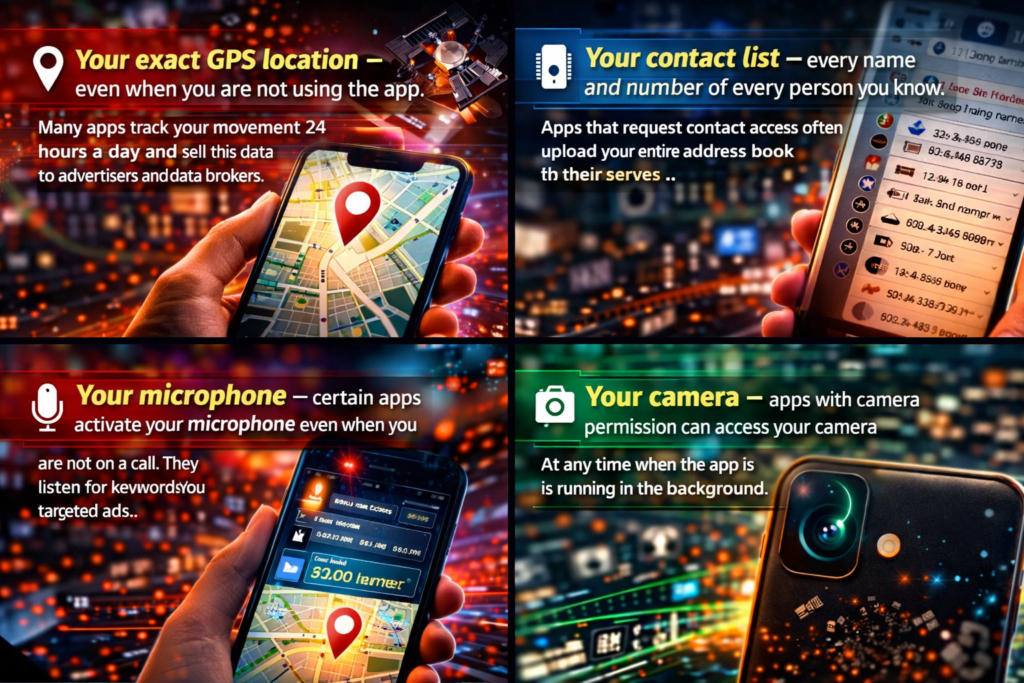
Your exact GPS location – even when you are not using the app. Many apps track your movement 24 hours a day and sell this data to advertisers and data brokers.
Your contact list – every name and number of every person you know. Apps that request contact access often upload your entire address book to their servers.
Your microphone – certain apps activate your microphone even when you are not on a call. They listen for keywords to serve you targeted ads.
Your camera – apps with camera permission can access your camera at any time when the app is running in the background.
Your WhatsApp data – researchers discovered a privacy flaw where WhatsApp’s contact discovery feature exposed profile photos and metadata of crores of Indian users, with attackers able to scrape data on hundreds of millions of numbers per hour.
You gave all of this access yourself. One tap at a time.

How to Check if Your Data Has Already Been Leaked
Do this right now. It takes two minutes.
Step 1 – Check your email on HaveIBeenPwned Go to haveibeenpwned.com on your browser. Enter your email address. The site will show you every data breach your email address has appeared in. Many Indians discover their email has been in 10 to 20 breaches.
Step 2 – Check your phone permissions right now
On Android: Go to Settings → Privacy → Permission Manager. Check which apps have access to your Location, Microphone, Camera, and Contacts. You will likely be shocked by what you find.
On iPhone: Go to Settings → Privacy and Security. Same check – Location Services, Microphone, Camera, Contacts.
Step 3 – Search your own phone number on Google Type your mobile number in Google search with quotes — “9XXXXXXXXX”. See what comes up. Many Indians find their number listed on websites they never visited.
Step 4 – Check if your Aadhaar has been misused Go to myaadhaar.uidai.gov.in and check authentication history. This shows you every time your Aadhaar has been used for verification. Any entry you do not recognise is a red flag.
How to Check if Your Data Has Already Been Leaked
Do this right now. It takes two minutes.
Step 1 – Check your email on HaveIBeenPwned Go to haveibeenpwned.com on your browser. Enter your email address. The site will show you every data breach your email address has appeared in. Many Indians discover their email has been in 10 to 20 breaches.
Step 2 – Check your phone permissions right now
On Android: Go to Settings → Privacy → Permission Manager. Check which apps have access to your Location, Microphone, Camera, and Contacts. You will likely be shocked by what you find.
On iPhone: Go to Settings → Privacy and Security. Same check — Location Services, Microphone, Camera, Contacts.
Step 3 – Search your own phone number on Google Type your mobile number in Google search with quotes — “9XXXXXXXXX”. See what comes up. Many Indians find their number listed on websites they never visited.
Step 4 – Check if your Aadhaar has been misused Go to myaadhaar.uidai.gov.in and check authentication history. This shows you every time your Aadhaar has been used for verification. Any entry you do not recognise is a red flag.
7 Things to Do Right Now to Protect Yourself
1. Revoke unnecessary app permissions immediately Go through every app on your phone. Remove location access from any app that does not genuinely need it. Remove microphone and camera access from apps that have no reason to use them.
2. Never share your Aadhaar photocopy carelessly Hotels, shops, and offices often ask for an Aadhaar copy. Always use a masked Aadhaar from the UIDAI website that hides your full number. Never share the original.
3. Use a separate phone number for apps and registrations Keep one number for personal contacts and a separate number for app signups, online shopping, and OTP verifications. Jio and Airtel both offer affordable second SIM plans.
4. Enable two-factor authentication on everything Your Gmail, WhatsApp, Instagram, banking apps — all of them. Two-factor authentication means even if someone has your password, they cannot access your account without your phone.
5. Set your WhatsApp privacy settings correctly Go to WhatsApp → Settings → Privacy. Set your profile photo, About, and Last Seen to “My Contacts” only. Never “Everyone.” Researchers found that WhatsApp profile photos set to Everyone were being scraped at massive scale.
6. Never click unknown links on WhatsApp or SMS This is how most Indian phones get compromised. A fake link disguised as a bank alert, a delivery notification, or a prize winner message. One click installs software that reads everything on your phone.
7. Lock your SIM with a PIN If your phone is stolen, a criminal can remove your SIM and use it to reset your bank account passwords. Go to Settings → SIM & Network → SIM card lock → enable it immediately.