This article is based on US Bank’s official passkey documentation, BankQuality’s April 2026 authentication analysis, Daon’s regulatory compliance research, and MMBB’s verified passkey explainer. This is for informational purposes only.
You have 137 passwords. You’ve reused most of them. At least one has already been stolen in a data breach you don’t know about yet.
From forgotten credentials to phishing attacks and data breaches, the traditional password system is showing its age. Most people reuse passwords across email, banking, streaming, shopping, work apps creating a single point of failure that attackers exploit at scale.
The replacement is already here. It’s called a passkey and it doesn’t work like anything you’ve used before.
What a Passkey Actually Is
A passkey is a digital, encrypted key that replaces your traditional username and password. With a passkey, you log in to your account in the same way you unlock your device with your face, fingerprint, device PIN, or device passcode.
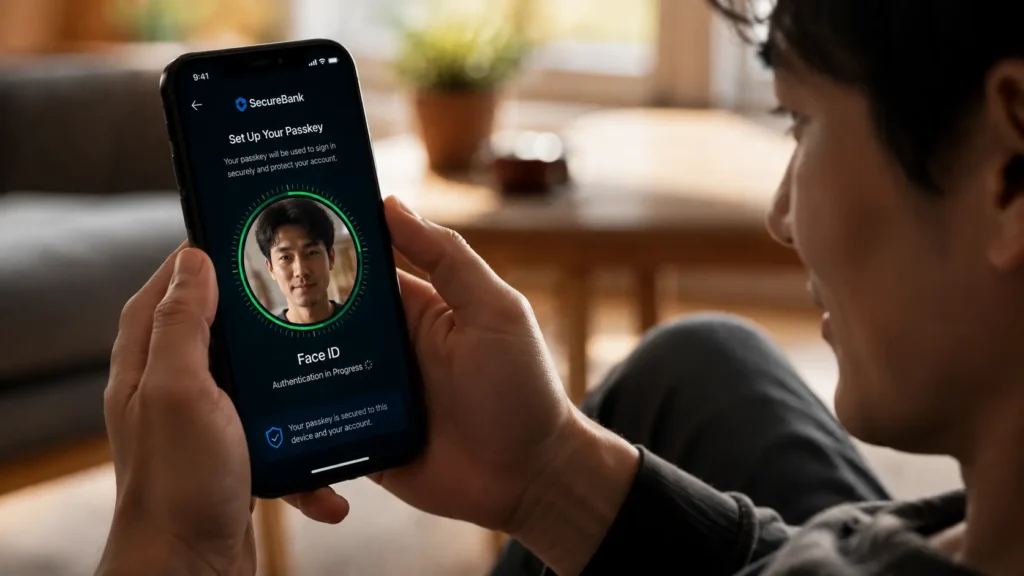
A passkey is stored on your device and used to log you in without typing a password. When you try to sign in, your phone or computer recognizes the account and asks you to confirm your identity using Face ID, a fingerprint, or a PIN. Once verified, you’re logged in.
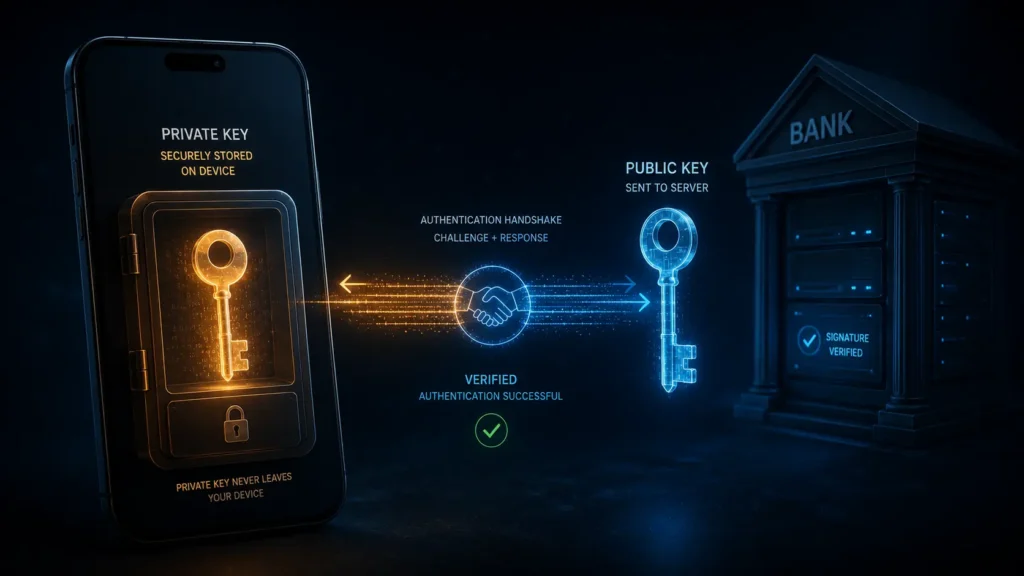
The critical difference from passwords: behind the scenes, passkeys work using a pair of cryptographic keys. One stays on your device the private key. The other is stored with the service you’re logging into the public key.
Here’s what makes this revolutionary. When you log in, your device uses the private key to solve a cryptographic challenge sent by the server. The server verifies the solution using your public key. Your private key never leaves your device not during login, not during any part of the process. The server never sees it. It cannot be stolen from the server’s database because it was never there.
A hacker who breaches a bank’s entire user database gets a list of public keys. Public keys are mathematically useless without the corresponding private keys. The breach yields nothing.
Why Passwords Keep Failing The Problem Passkeys Solve
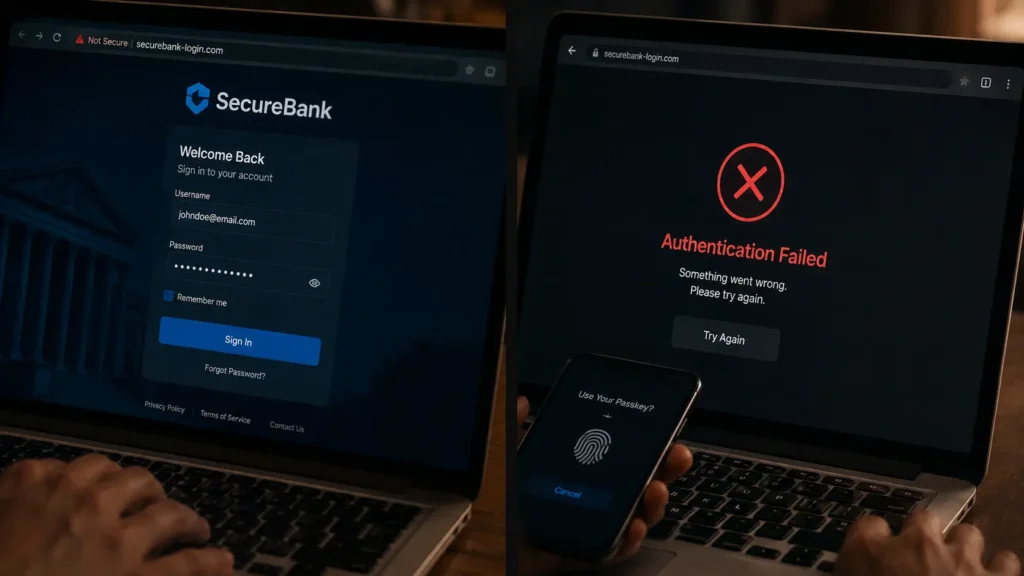
Password-based authentication exposes banks to phishing, credential theft, and account takeover risks. Customers reuse passwords across platforms, respond to phishing attempts, and struggle to manage complex credential rules. For banks, this translates into higher fraud losses, growing call-centre volumes, and increased regulatory pressure. Layered controls such as one-time passwords and SMS verification improved security incrementally but did not eliminate the core vulnerability shared secrets can still be intercepted, tricked, or stolen.
The phishing problem is particularly acute. A convincing fake banking website can capture your password and OTP code in real time the attacker enters them on the real site before the codes expire. This attack, called real-time phishing, defeats two-factor authentication entirely.
A passkey is phishing-resistant and more secure than a password by design. It is stored in your device’s password manager and can’t be typed, stolen, or guessed.
The phishing resistance is structural, not behavioral. Even if you’re tricked into visiting a fake banking website, your passkey simply won’t work on it the cryptographic challenge it issues won’t match your bank’s public key. The authentication fails silently. Your account stays protected even when you’ve been deceived.
Why Banks Are Switching The Regulatory Push
The shift to passkeys isn’t voluntary in many markets.
The UAE Central Bank announced that all banks must adopt passwordless banking and eliminate one-time passwords by March 2026. Singapore’s monetary authority declared SMS OTPs obsolete for customers using secure alternatives. The Philippines set a June 2026 deadline for biometric authentication. Malaysia required app-based verification on registered devices. Regulators worldwide are reaching the same conclusion: passwords have become banking’s greatest liability.
US banks moved without waiting for a federal mandate. In the United States, Australia, and Europe, the first banks are embracing passkeys to reduce fraud and enhance security. US Bank now offers passkeys as the default login method for mobile banking allowing customers to authenticate with the same biometric used to unlock their phone.
Banking and financial services, driven by regulatory requirements and fraud prevention needs, are leading passkey adoption in highly regulated industries. Password managers are evolving into passkey managers, maintaining their role as credential management tools while focusing on the new technology.
The Sync Problem And How It’s Solved
The obvious concern: what happens if you lose your phone?
Passkeys can sync across devices when stored in a password manager or remain device-bound when stored in hardware security keys. Biometrics, which are optional, include fingerprint recognition, facial recognition, and other device-supported biometrics such as iris scanning on some devices.
Apple’s iCloud Keychain syncs passkeys across all your Apple devices encrypted end-to-end. Google Password Manager syncs across Android devices and Chrome. If you lose your phone and get a new one, your passkeys restore from your cloud backup after identity verification.
For users who want the highest security typically enterprise or financial services contexts hardware-bound passkeys stay on a physical security key device and never sync anywhere.
How to Enable Passkeys Right Now
The transition is already available on most major platforms. You don’t need to wait.
For your Google account: go to myaccount.google.com → Security → Passkeys → Create a Passkey. For your Apple ID: Settings → Password & Security → Passkeys. For US Bank: open the mobile app → Security Settings → Set Up Passkey.
Passkey adoption will become standard for consumer applications throughout 2026 and 2027. Major enterprise platforms are completing their migrations to support passwordless authentication.
Passkeys represent a structural change rather than a feature upgrade. Authentication becomes embedded and largely invisible reducing friction for customers while lowering fraud exposure for banks. Passwords are unlikely to disappear immediately, but their role will continue to diminish as passkeys become the default for mobile-first users.
The password you’ve been reusing since 2019 is the weakest link in your entire digital life. The replacement takes 90 seconds to set up. Most banks already support it.
The quiet death of passwords is already happening. The only question is whether you get ahead of it or wait until a breach makes the decision for you.
Note: Passkey availability varies by platform and institution. Check your specific bank or service provider for current support. This article is for informational purposes — not security advice.
© AiwalaNews | Global Tech & Privacy Edition | May 2026
Read Also:
- 🔗 How “Forgot Your Password?” Actually Works — The Cryptography Nobody Explains Simply
- 🔗 How Your Bank Knows It’s Not You Within 0.3 Seconds of Login
