A quick answer for the moment your laptop starts sounding like a jet engine mid meeting: nothing is broken, but something is working harder than you think.
Last month, a friend of mine, a repair technician named Rohan who has fixed laptops for over a decade in Delhi, told me something that stuck with me. “People bring me their laptop scared it’s dying,” he said, “and half the time, it’s just breathing hard.” That line explains almost everything about the sudden roar your laptop fan makes when you least expect it.
You are typing an email. Maybe you have three tabs open. Nothing feels demanding. Then suddenly the fan spins up like the machine is preparing for takeoff. It feels sudden, even alarming. But your laptop isn’t malfunctioning. It’s doing exactly what it was built to do.
The Simple Physics Behind the Noise
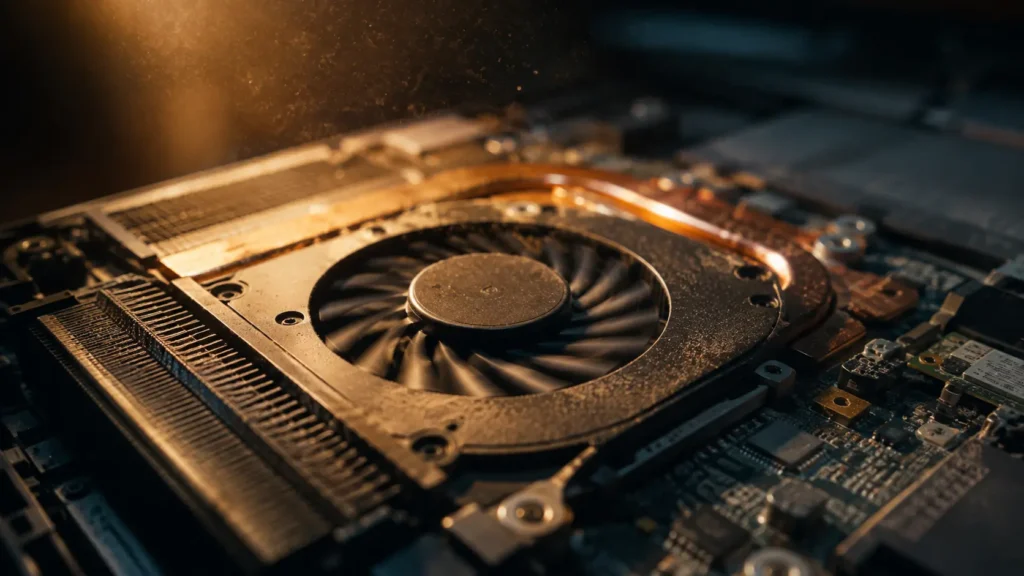
Every laptop has a small temperature sensor sitting right on top of the CPU, and often on the GPU as well. When that sensor detects rising heat, it sends a signal telling the fan to spin faster. This is not a glitch. It is a built in safety system. Left unchecked, a modern processor can reach temperatures high enough to damage internal components within seconds, so the machine always prioritizes cooling over silence.
The louder sound is simple physics. More air needs to pass over the heatsink fins to carry heat away, and moving that air faster means the blades spin faster, which naturally creates more noise. A fan at low speed can be nearly silent. The same fan pushed to full speed can sound like a hairdryer, and often the entire difference comes down to a temperature shift of just twenty five to thirty degrees.

What Is Actually Pushing the CPU That Hard
Here is where things get interesting, because the cause is rarely what people assume.
Background updates and silent scans. Windows Update, antivirus software, and cloud backup tools like OneDrive or Dropbox frequently start working without opening any visible window. You didn’t launch anything, yet your processor is suddenly under load.
Browser tabs with autoplay video or heavy ads. A single tab running an autoplaying video, or a page filled with animated banner ads, can push CPU usage almost as high as a light game. Multiply that across a dozen open tabs and the strain adds up fast.
A stuck or runaway process. Sometimes an app does not crash cleanly. It gets caught in a loop, silently repeating the same calculation again and again. This is one of the most common reasons a fan stays loud even when you appear to be doing nothing at all.
Aging thermal paste. On laptops older than two or three years, the thin layer of thermal paste between the CPU and its heatsink slowly dries out and loses effectiveness. The same everyday tasks that once ran cool begin generating more heat, even though your habits never changed.
Dust collecting inside the vents. Every fan pulls in outside air, and that air always carries dust. Over months, dust settles across the heatsink fins and intake, narrowing the airflow path. The fan then has to spin faster just to move the same amount of air through a smaller opening.
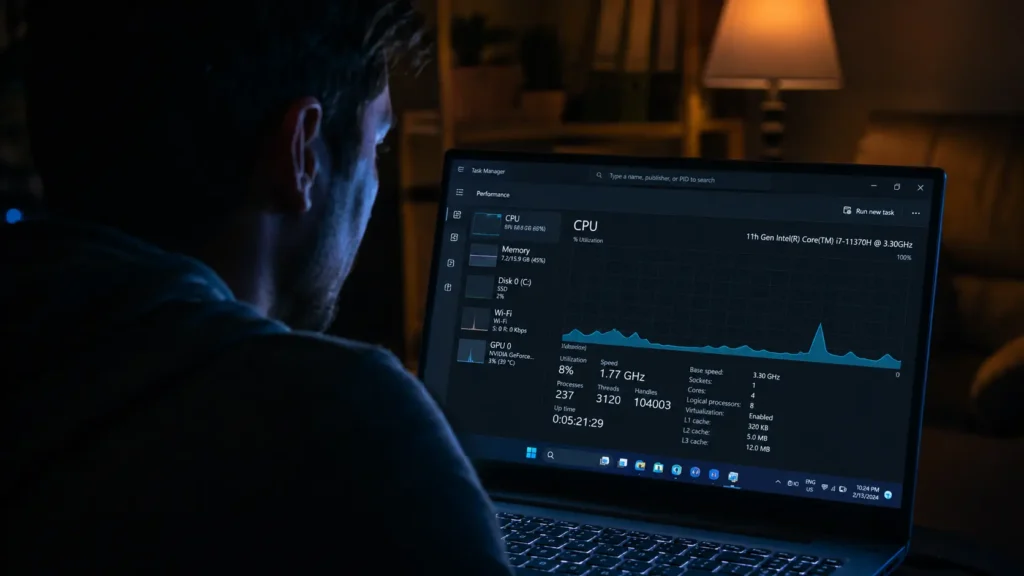
Apps quietly running in the background. Game launchers, chat apps, browser extensions, and update checkers often keep working long after you’ve closed their main window. Opening Task Manager on Windows or Activity Monitor on Mac and sorting by CPU usage usually reveals the real culprit within seconds.
A Real World Example
Rohan once showed me a laptop where the owner swore they were “just browsing the internet.” Task Manager told a different story. A single browser extension meant to block ads was itself running a hidden script that pinged servers every few seconds, keeping the CPU at nearly forty percent even during idle moments. The fix took two minutes. The mystery, without checking, could have lasted months.
Why It Feels So Sudden
Most laptop fans do not ramp up gradually. Instead, they jump between a handful of fixed speed levels once temperature crosses a certain threshold. That is why the shift feels instant. The CPU was actually warming up slowly the entire time. You just did not notice until it crossed the line that triggers full speed cooling.
When You Should Actually Pay Attention
A loud fan during a video call, a large download, or a software update is completely normal and nothing to worry about. But a few patterns are worth checking closely.
The fan runs loud constantly, even while the laptop sits idle. The bottom of the laptop or the area near the keyboard feels noticeably hot to the touch. Performance feels sluggish alongside the noise, which can signal the processor is throttling itself to avoid overheating. The noise began right around the time you installed a new app.
In most of these situations, opening Task Manager or Activity Monitor and sorting by CPU or GPU usage will point straight to the cause. If the laptop is older and the fan stays loud even during light tasks, a professional cleaning or a thermal paste replacement is often the simplest and most lasting fix.
Your laptop fan is not failing when it gets loud. It is protecting the machine exactly as designed. The real question worth asking is not why the fan is loud, but what task, app, or piece of dust made that protection necessary in the first place.
Read also: Why Your Phone Overheats While Charging, Explained Simply and How to Extend Your Laptop’s Battery Life the Right Way
© AiwalaNews | Global Tech & Privacy Edition | April 2026
