This article is based on verified cybersecurity research from ExpressVPN, ESET, Surfshark, Panda Security, and the Safety Net Project. All signs described are documented in published security research. If you believe you are being monitored in a domestic abuse or stalking situation, contact the National Domestic Violence Hotline at 1-800-799-7233.
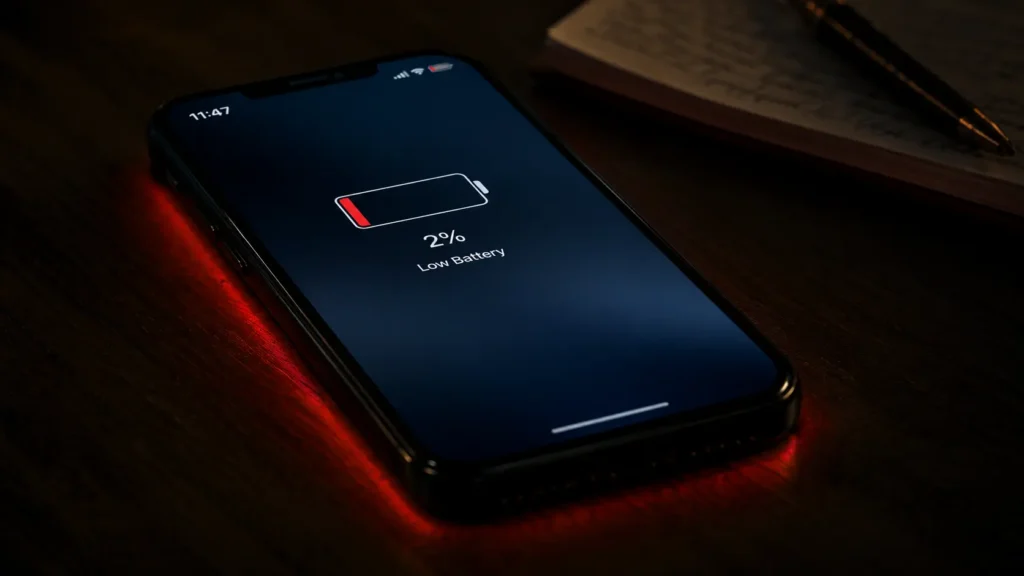
Spyware doesn’t announce itself. It doesn’t leave an icon on your home screen or send you a notification. It runs quietly in the background recording calls, logging keystrokes, tracking location, and transmitting everything it collects to whoever installed it.
But it always leaves traces. And once you know what to look for, those traces are visible.
Here are the 7 documented signs that your phone is being monitored and what each one means.
Sign 1: Battery Draining Faster Than Usual
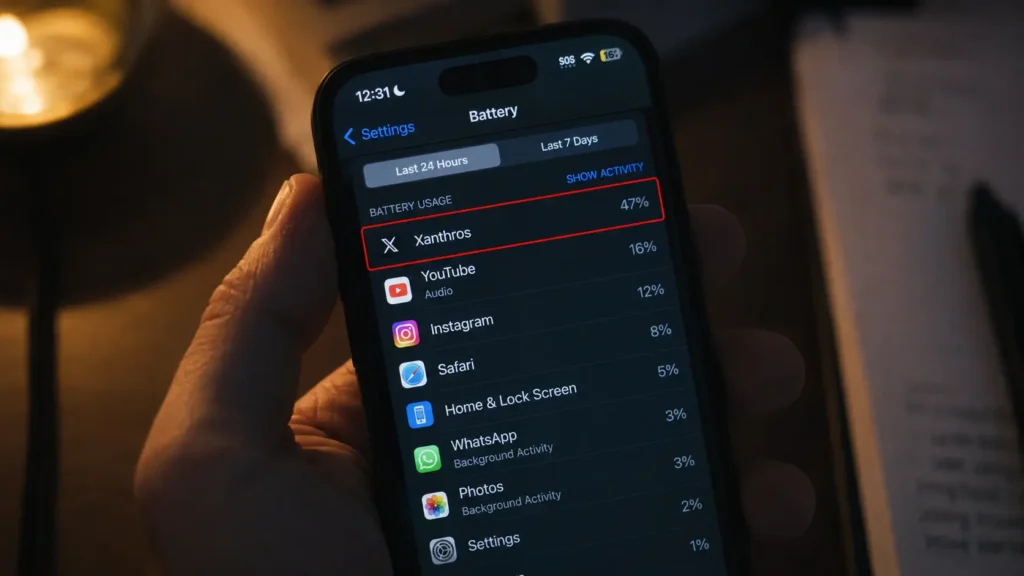
Spyware has to work in the background quietly keeping the processor busy, waking radios, and sending information out. Security specialists consistently point to unusual battery drain as a classic symptom of a monitored device. When a phone that used to last all day suddenly dies by mid-afternoon without any change in habits, that is a technical signal that something in the background has changed.
What to do: Go to Settings → Battery → Battery Usage. Look for any app consuming significant battery that you don’t recognize or haven’t used recently. An unfamiliar app in the top five battery consumers is a red flag worth investigating.
Sign 2: Unexplained Data Usage Spikes
If someone is spying on your phone, they may be using your cellular network to download any data collected on you. Look out for strange spikes in data usage they’ll likely be a sign of spy apps transmitting collected information back to whoever installed them.
On iPhone: go to Settings → Cellular Data. On Android: go to Settings → Network & Internet → Data Usage. Look for any app using data in the background that you don’t recognize — especially apps you’ve never opened.
Sign 3: Phone Overheating When Idle
Malicious software installed on your device designed to monitor activities is generally referred to as spyware. It exploits device vulnerabilities to function and is designed to operate covertly doing anything from keylogging and stealing browsing information to recording audio and video, and taking screenshots.
Unexplained overheating when the phone is idle fits the pattern of a handset being tracked, tapped, or monitored by spy software.
A phone that gets warm while sitting untouched on a table not during charging, not during active use is running something processor-intensive in the background. That’s not normal behavior.
Sign 4: Unusual Sounds During Phone Calls
Spyware that intercepts calls often causes subtle but detectable audio distortions. Regular, soft clicks every 30 to 60 seconds may indicate a recording function activating or syncing. Echoes or slight voice delays can occur when your call is being routed through third-party monitoring servers. Background static that intensifies when you change location may indicate surveillance software struggling to maintain a stable connection.
In 85% of analyzed phone tapping cases, researchers observed at least one of these audio anomalies often only during sensitive calls involving personal, financial, or professional information.
Occasional audio glitches are normal. Consistent, recurring audio anomalies during specific types of conversations are a different pattern entirely.
Sign 5: Phone Lighting Up or Rebooting Without Reason
If your phone lights up when not in use or responds without notifications, someone might be monitoring it. Check if your phone reboots on its own particularly if you don’t have automatic updates enabled.
Once installed, stalkerware runs in stealth mode without any notification or identifying activity and is difficult to detect or remove. The person monitoring you signs in to a website or app on a different device and may receive notifications of certain activity such as copies of text messages or an alert that you are on a call so they can secretly join and listen in.
Random reboots, screen activation without touching the phone, and the phone waking to a blank screen are all behaviors triggered by remote commands from monitoring software.
Sign 6: Strange Text Messages With Random Characters
Messages filled with random characters may be commands sent by spyware in an effort to remotely control your device.
These SMS command strings are the control layer of some older spyware variants instructions sent from the attacker’s server to the spyware installed on your device. They occasionally appear in your inbox when the software misfires or when the attacker sends commands manually.
If you receive text messages containing random numbers, symbols, or character strings from unknown numbers particularly at unusual hours do not reply or click any link. Screenshot the message and consult a cybersecurity professional.
Sign 7: Unfamiliar Apps or Configuration Profiles
According to mobile security research, 80% of known spyware strains create hidden folders using generic system-style names to avoid suspicion.
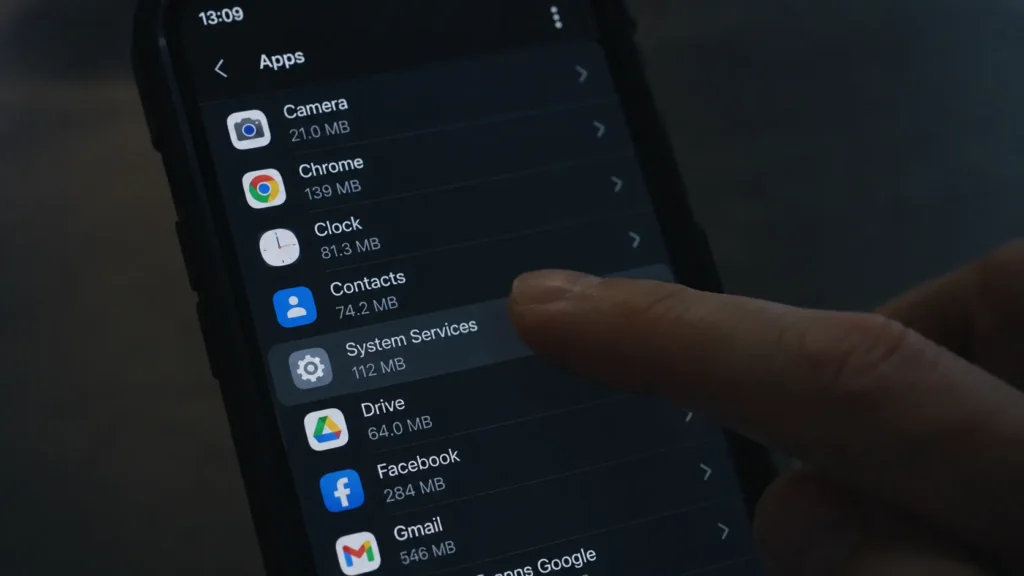
Cross-reference with the App Store or Google Play some spyware apps do not appear on the home screen but will show up in system application lists. On iPhone, go to Settings → General → VPN & Device Management. Any unfamiliar profile may indicate enterprise monitoring or third-party control.
On Android, go to Settings → Apps → See All Apps, and enable “Show System Apps.” Look for anything you don’t recognize. On iPhone, check for configuration profiles you didn’t install these are the mechanism through which monitoring software is often deployed on iOS devices without requiring a full jailbreak.
What to Do If You Find Evidence
You can use a few simple tools built into Android and iPhone to detect spyware. For Android: dial *#21# to check call forwarding status, and *#62# to see where calls are being forwarded when unreachable. For iPhone: use the same codes in the dialer.
If you find evidence of monitoring:
Back up evidence first. Screenshot anything suspicious before taking action it may be needed if you consult law enforcement.
Run a reputable security scan. Malwarebytes, Avast, or Bitdefender’s mobile products detect most known commercial spyware.
Factory reset as a last resort. A factory reset removes all installed software including spyware but loses your data if not backed up. Back up to a trusted computer, not to cloud services that may already be compromised.
Change all passwords from a different device. If your phone has been monitored, assume every password typed on it has been captured. Change them all from a trusted computer on a different network.
Almost all phone stalkerware requires physical access to the device to install. If someone with physical access to your phone is a concern a partner, employer, or someone who borrowed your device — that context matters for how you respond and who you contact for help.
If you believe you are being monitored in the context of domestic abuse or stalking, contact the National Domestic Violence Hotline at 1-800-799-7233 or text “START” to 88788. The Safety Net Project at techsafety.org provides specific guidance on technology safety in these situations.
© AiwalaNews | Global Tech & Privacy Edition | May 2026
Read Also:
- 🔗 How AI Learns Your Weaknesses From Just a Few Clicks
- 🔗 How to Disappear From Google Search Completely — Legal and Free
