
Every day, humans send roughly 330 billion emails worldwide. You’ve sent hundreds of thousands yourself probably without thinking twice about what happens the moment your finger lifts off that send button. It feels instant. Effortless. Almost magical.
It isn’t magic. It’s one of the most sophisticated chains of technical events in modern computing executed in the time it takes you to blink. And it all runs through the beating heart of the internet: the data center.
Here’s what actually happens inside one when you hit send.
The First Milliseconds: Your Device Wakes Up
Before your email even leaves your phone or laptop, your device does a rapid internal checklist. It packages your message the text, any attachments, your recipient’s address, your sender information into a structured format called MIME (Multipurpose Internet Mail Extensions).
Think of MIME as the envelope system of the digital world. It wraps your content neatly, labels it correctly, and prepares it for a very long journey through unpredictable infrastructure.
Your device then initiates a secure connection using TLS (Transport Layer Security) the same encryption protocol that protects your banking app. This handshake between your device and your email provider’s server takes roughly 200–400 milliseconds. You notice none of it.
Entering the Data Center: The First Gate
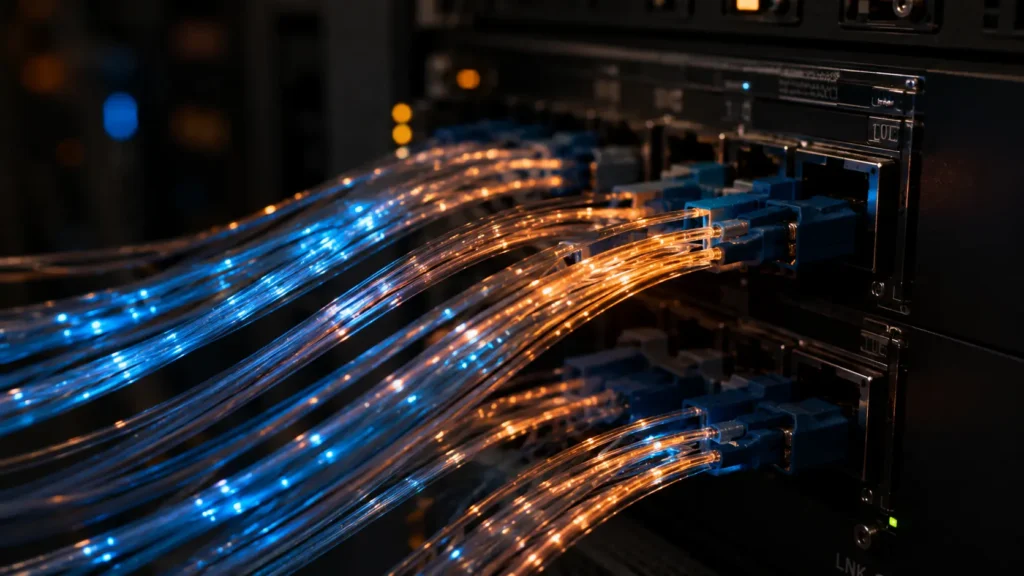
Your packaged email travels over the internet through fiber optic cables, possibly underwater ones spanning ocean floors and arrives at your email provider’s data center. For Gmail users, that might be a facility in Council Bluffs, Iowa. For Outlook users, perhaps one of Microsoft’s Azure regions in Dublin or Singapore.
The moment your data arrives, it hits the first layer of defense: the load balancer.
A load balancer is essentially a highly intelligent traffic cop. At any given moment, a major data center handles millions of simultaneous requests. The load balancer reads your incoming packet, evaluates which servers currently have capacity, and routes your email accordingly all in under 5 milliseconds.
No single server handles everything. That’s by design.
Authentication: Proving You Are Who You Say You Are
Before your email goes anywhere near the recipient, the data center runs it through a gauntlet of identity verification checks.
Three protocols work together here:
- SPF (Sender Policy Framework) confirms your email came from an authorized server for your domain
- DKIM (DomainKeys Identified Mail) attaches a cryptographic signature proving the message wasn’t tampered with in transit
- DMARC a policy layer that tells receiving servers what to do if SPF or DKIM fail
If your email passes all three, it earns a kind of digital passport. If it fails, it gets flagged, quarantined, or quietly dropped. This is why phishing emails impersonating your bank often land in spam their signatures don’t match.
This entire authentication chain completes in roughly 50–100 milliseconds.
The Spam Gauntlet: AI Reads Your Email Before Your Recipient Does
Here’s something most people don’t realize: your email is read by machines before any human sees it.
Inside the data center, your message passes through multi-layered spam and malware filtering systems many of them now powered by machine learning models trained on billions of previous emails. These systems analyze:
- Sending patterns and frequency
- Keyword clusters and phrase combinations
- Link destinations and attachment behavior
- Your sender reputation score
- The recipient’s previous interaction history with your address
Gmail’s filtering system alone processes roughly 15 exabytes of data annually. In milliseconds, it assigns your email a spam probability score. Above a threshold it diverts to spam. Below it cleared for delivery.
A malware scanner simultaneously unpacks any attachments in a sandboxed virtual environment essentially opening your file in an isolated box where it can’t cause damage checking for malicious code before allowing it through.

Storage: Where Your Email Lives
Once cleared, your email is written to distributed storage systems not one server, but many, often across multiple physical locations simultaneously.
This is called replication. If a server in Iowa fails at 2 a.m., your email still exists identically in a data center in Oregon or Belgium. You’ll never know the Iowa server died. You’ll just open your sent folder and everything will be there.
Modern email providers store data on NVMe SSDs drives capable of reading and writing data at speeds exceeding 7,000 MB per second. Your email is written, verified, and confirmed across multiple nodes before the system even tells your device the send was successful.
That little “Message Sent” notification? It only appears after redundant confirmation across multiple servers. The system is that careful.
Crossing to the Recipient’s Server
If you’re emailing someone on a different provider say you use Gmail and they use Outlook your email now needs to cross between data centers.
Your provider’s server looks up the recipient domain’s MX (Mail Exchange) records essentially a directory entry that says “emails for this domain go to this server.” It then opens a fresh TLS-encrypted connection to the recipient’s mail server and delivers your message.
This cross-server handoff typically completes in under one second, though it can stretch to a few seconds depending on server load and geographic distance.
The Final Destination: Inbox Rendering
The recipient’s data center receives your email, runs its own spam and authentication checks, and slots it into the recipient’s mailbox storage partition. When they open their app, their client issues a retrieval request via IMAP or POP3 protocols and the email is pulled, rendered, and displayed.
What they see fonts, images, layout is actually HTML and CSS rendered by their email client, not a static image. Every email is essentially a tiny webpage, assembled fresh each time it’s opened.
The Numbers Behind One Send
| Event | Time Taken |
|---|---|
| TLS encryption handshake | 200–400 ms |
| Load balancing & routing | 5 ms |
| Authentication checks | 50–100 ms |
| Spam & malware filtering | 100–300 ms |
| Storage & replication | 50–150 ms |
| Cross-server delivery | 200ms–2 sec |
| Total end-to-end | Under 3 seconds |
The Scale That Makes It Surreal
Every second of every day, this entire sequence encryption, authentication, filtering, replication, delivery runs simultaneously for millions of emails. The data centers making it possible consume as much electricity as mid-sized cities, are cooled by industrial chillers the size of houses, and are staffed around the clock by engineers whose only job is making sure your message arrives.
All so you can type “See you at lunch” and press send without a second thought.
That’s not infrastructure. That’s a modern miracle running quietly beneath everything.
Read Also:
- Inside the World’s Most Secure Data Centers — What They Don’t Show You
- How Cloud Storage Actually Works — And Who Really Owns Your Data
© AiwalaNews | Global Tech & Privacy Edition | April 2026
