Based on verified hiring research, documented ATS platform data, and publicly available testing results from career optimization platforms. This is not a guide to deceiving employers it’s a guide to ensuring your real qualifications reach a real person.
You applied. You were qualified. You heard nothing.
That silence isn’t personal. It’s algorithmic.
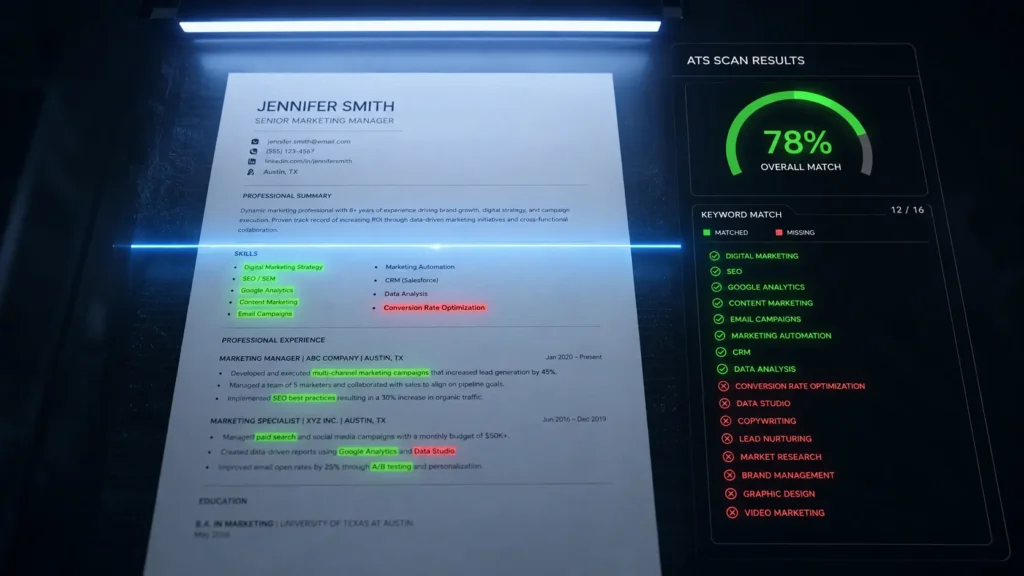
98% of Fortune 500 companies use ATS systems to filter resumes before human review. The system scans your resume, scores it against the job description, and ranks you against every other applicant before any recruiter sees your name.
The average first-submission ATS score is below 40%. With proper optimization, scores improve by 35+ points. If your resume isn’t structured and keyword-matched correctly, you’re invisible even if you’re the best candidate.
You’re not losing to better candidates. You’re losing to a formatting decision.
What ATS Actually Does to Your Resume
ATS rejections are rarely about your qualifications. They are about whether the resume parsed cleanly, whether your wording matched the posting, and whether your bullets gave the system enough signal to rank you above the next 80 candidates.
Early-generation ATS platforms did simple keyword matching. Modern systems use machine learning to score contextual relevance, detect keyword manipulation, and cross-reference data points like LinkedIn profiles and job title progression.
Three things kill most resumes before a human sees them: wrong formatting, missing keywords, and non-standard section headers. All three are fixable in 15 minutes.
The Keyword Mirror Method
This is the single most impactful change and it’s completely free.
Keyword optimization requires precision use exact phrases from job descriptions, not synonyms or variations. ATS systems match strings, not concepts.
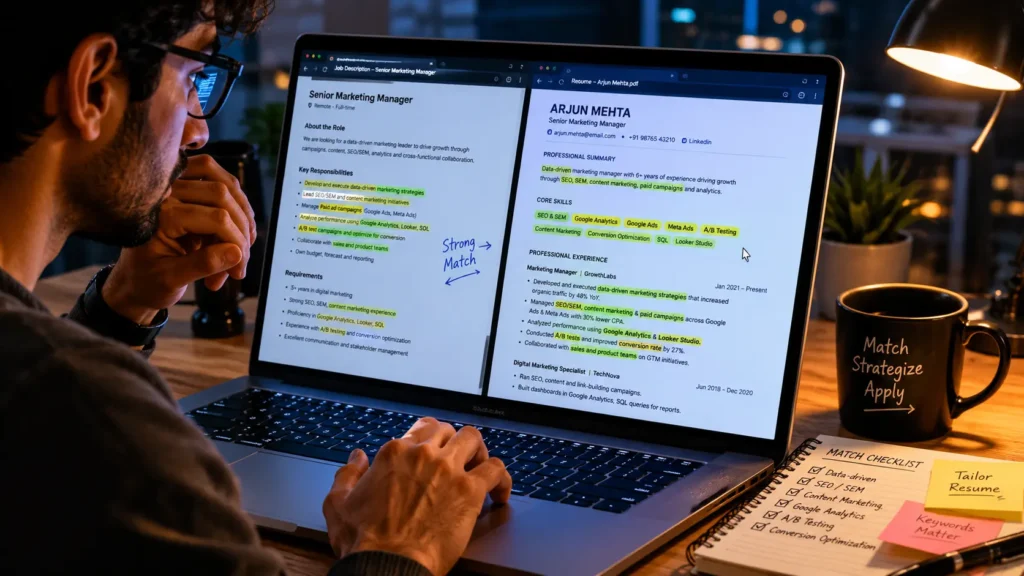
If the job description says “cross-functional collaboration,” your resume needs those exact words not “worked with multiple teams.” The system doesn’t know they mean the same thing.
The practical workflow: copy the job description into a document, highlight 8 to 12 key phrases, then mirror them in your resume’s skills section and top achievement bullets. For a marketing role seeking “SEO optimization,” write: “Drove SEO optimization efforts resulting in 30% traffic growth.” This targeted approach ensures ATS ranks your application higher while still reading naturally to a recruiter.
The free AI shortcut: paste the job description into Claude or ChatGPT with this prompt: “List every specific skill, tool, and qualification in this job description. Then compare it to my resume below and identify every gap.” The output gives you an exact list of what to add in the right language, pulled directly from the job description.
Aim for a 75%+ match rate between your resume and the job description to reliably pass ATS screening.
The Formatting Rules That Change Everything
Formatting errors cause parse failures that kill your ATS score before keyword matching even runs.
Save as .docx or clean single-column PDF. Two-column layouts look clean to human eyes but produce garbled output when an ATS parser reads both columns simultaneously as one line of text.
Use standard section headers. “Work Experience” not “My Career Story.” “Skills” not “What I Bring.” Non-standard headings confuse ATS systems. If you must choose, always prioritize ATS readability over design.
Put keywords at the top of each section. ATS systems weight keyword location. Keywords in your summary section and in the first bullet under each job title are treated as more prominent than keywords buried at the end of a long list this mirrors how human recruiters also scan.
Keep your skills section clean and simple. A comma-separated or simply bulleted list no more than 15 to 18 skills. Resumes listing over 20 separate skills face a 67% rejection rate compared to 34% when skills integrate naturally into experience descriptions.

What Absolutely Doesn’t Work in 2026
Tips that worked in 2022 repeating keywords in white text, stuffing the skills section now trigger active penalties on modern platforms. Workday, Greenhouse, and Lever all have detection for zero-opacity or white-on-white text. When flagged, your application receives a fraud indicator attached to your candidate record.
Resumes flagged for manipulation tactics are 67% less likely to advance, even if they otherwise meet all qualifications.
The goal isn’t to trick the system. It’s to ensure your genuine qualifications are visible to it.
The Platform Reality
A format that works for Workday may not work for Taleo or Greenhouse. You can identify which ATS a company uses by inspecting the application URL ‘myworkdayjobs.com’ indicates Workday, ‘taleo.net’ signals Taleo. Knowing this takes five seconds and meaningfully changes your formatting decisions.
The 15-Minute Free Workflow
Step 1: Paste the job description into Claude free. Ask it to identify every keyword, required skill, and exact phrase. Step 2: Add missing keywords inside your experience bullets — in context, not as a standalone list. Step 3: Run your updated resume through Jobscan free tier. Target 75%+ match. Step 4: Save as .docx. Standard headers. No tables or graphics. Step 5: Apply directly through the company careers page.
Applications through company career pages typically receive priority routing. Referred candidates are 4x more likely to get hired so a LinkedIn connection to someone at the company is worth more than any resume optimization.
The Honest Truth
Even among resumes that score above 80% on ATS keyword matching, only 15 to 20% of candidates receive interview invitations. ATS optimization solves one specific problem: getting your resume past automated screening and into a recruiter’s hands. That’s it.
The ATS doesn’t hire you. The human does. Optimization just makes sure the human gets to see you.
That’s the only thing standing between you and the interview.
Note: Always represent your qualifications accurately. These techniques optimize presentation not fabrication.
© AiwalaNews | Global Tech & Privacy Edition | May 2026
Read Also:
- 🔗 The Hidden Prompt That Makes ChatGPT 10x Smarter
- 🔗 The $0 AI Stack That Replaced My $500/Month SaaS Tools
